Mission Center, UI kinda like Windows 11: https://flathub.org/apps/io.missioncenter.MissionCenter
this post was submitted on 25 Nov 2023
34 points (94.7% liked)
Linux
48072 readers
1 users here now
From Wikipedia, the free encyclopedia
Linux is a family of open source Unix-like operating systems based on the Linux kernel, an operating system kernel first released on September 17, 1991 by Linus Torvalds. Linux is typically packaged in a Linux distribution (or distro for short).
Distributions include the Linux kernel and supporting system software and libraries, many of which are provided by the GNU Project. Many Linux distributions use the word "Linux" in their name, but the Free Software Foundation uses the name GNU/Linux to emphasize the importance of GNU software, causing some controversy.
Rules
- Posts must be relevant to operating systems running the Linux kernel. GNU/Linux or otherwise.
- No misinformation
- No NSFW content
- No hate speech, bigotry, etc
Related Communities
Community icon by Alpár-Etele Méder, licensed under CC BY 3.0
founded 6 years ago
MODERATORS
On KDE there's System Monitor, which you can customize to show graphs for CPU usage and temp, among other things, and GPU usage and temp too.
For in-game monitoring there's Mangohud, also very customizable on what you can show in the overlay
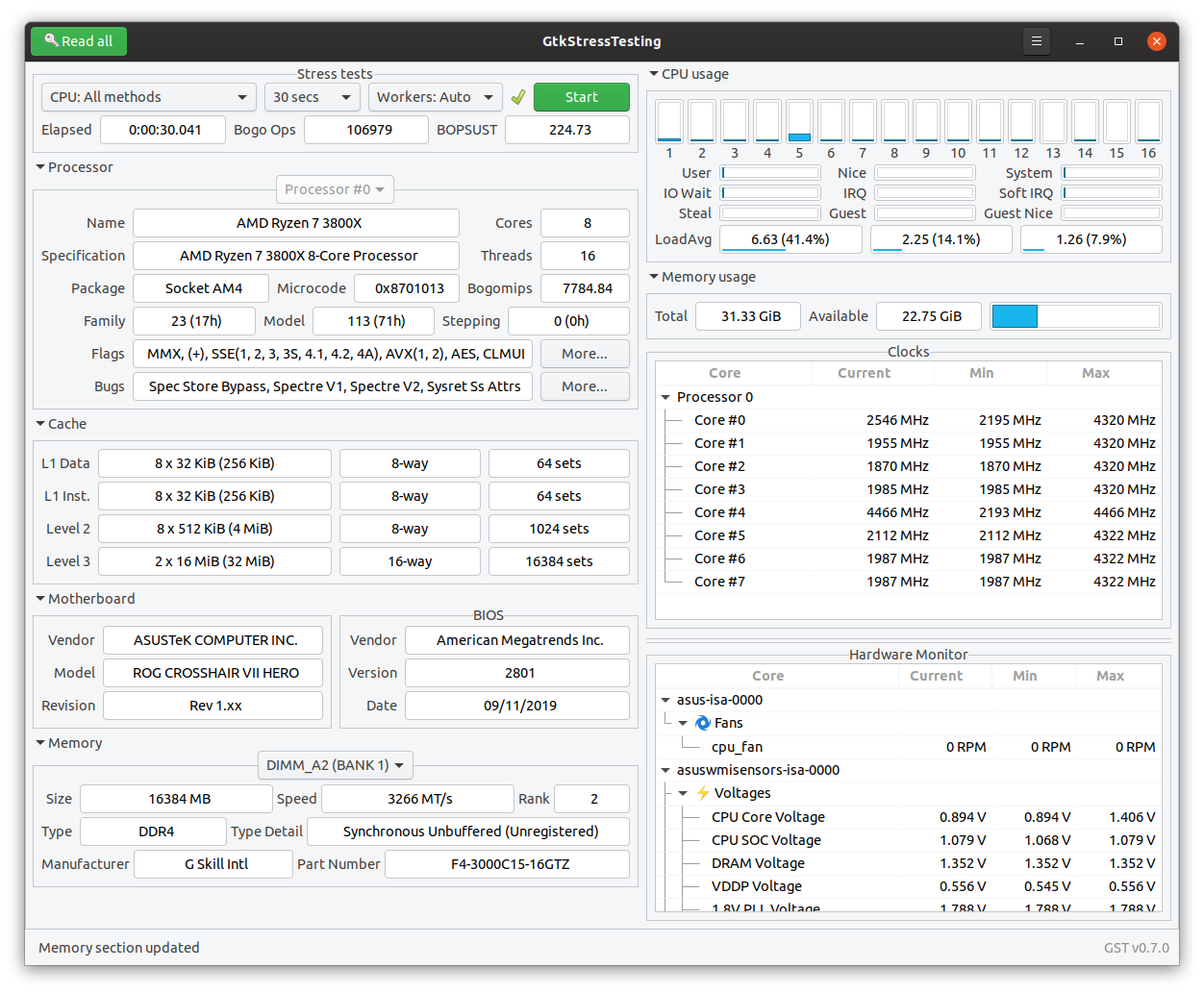
I use "GtkStressTesting" for tracking system's health, although it's actually a Benchmarking tool.
https://gitlab.com/leinardi/gst
htop and nvtop on split terminal window ?

Isn’t there Green With Envy to monitor NVIDIA stuff on Linux?
Msi afterburner on windows
Haha, dude.
My bad
Nah it's the Linux instance, guy is probably joking.
i use KDE system monitor, if it's for that e requirements it work
bottom
If you're using an amd gpu, corectrl gives you a ton of info and controls.
I like ksysguard, comes with basic system monitoring screens and is very configurable.
I use the xfce CPU graph plugin for the CPU... don't use anything for GPU, I don't game and all my rigs run on onboard GPUs. There is also a temp plugin for xfce, I use that one as well, can't remember the name now though... it requires libsensors to work.
bpytop is very nice and functional. Maximize the window and it almost hypnotic to watch.