this post was submitted on 14 Feb 2025
30 points (96.9% liked)
Steam Hardware
21666 readers
298 users here now
A place to discuss and support all Steam Hardware, including Steam Deck, Steam Machine, Steam Frame, and SteamOS in general.
As Lemmy doesn't have flairs yet, you can use these prefixes to indicate what type of post you have made, eg:
[Flair] My post title
The following is a list of suggested flairs:
[Deck] - Steam Deck related.
[Machine] - Steam Machine related.
[Frame] - Steam Frame related.
[Discussion] - General discussion.
[Help] - A request for help or support.
[News] - News about the deck.
[PSA] - Sharing important information.
[Game] - News / info about a game on the deck.
[Update] - An update to a previous post.
[Meta] - Discussion about this community.
If your post is only relevant to one hardware device (Deck/Machine/Frame/etc) please specify which one as part of the title or by using a device flair.
These are not enforced, but they are encouraged.
Rules:
- Follow the rules of Sopuli
- Posts must be related to Steam Hardware or Steam OS in an obvious way.
- No piracy, there are other communities for that.
- Discussion of emulators are allowed, but no discussion on how to illegally acquire ROMs.
- This is a place of civil discussion, no trolling.
- Have fun.
Link to our Matrix Space
founded 4 years ago
MODERATORS
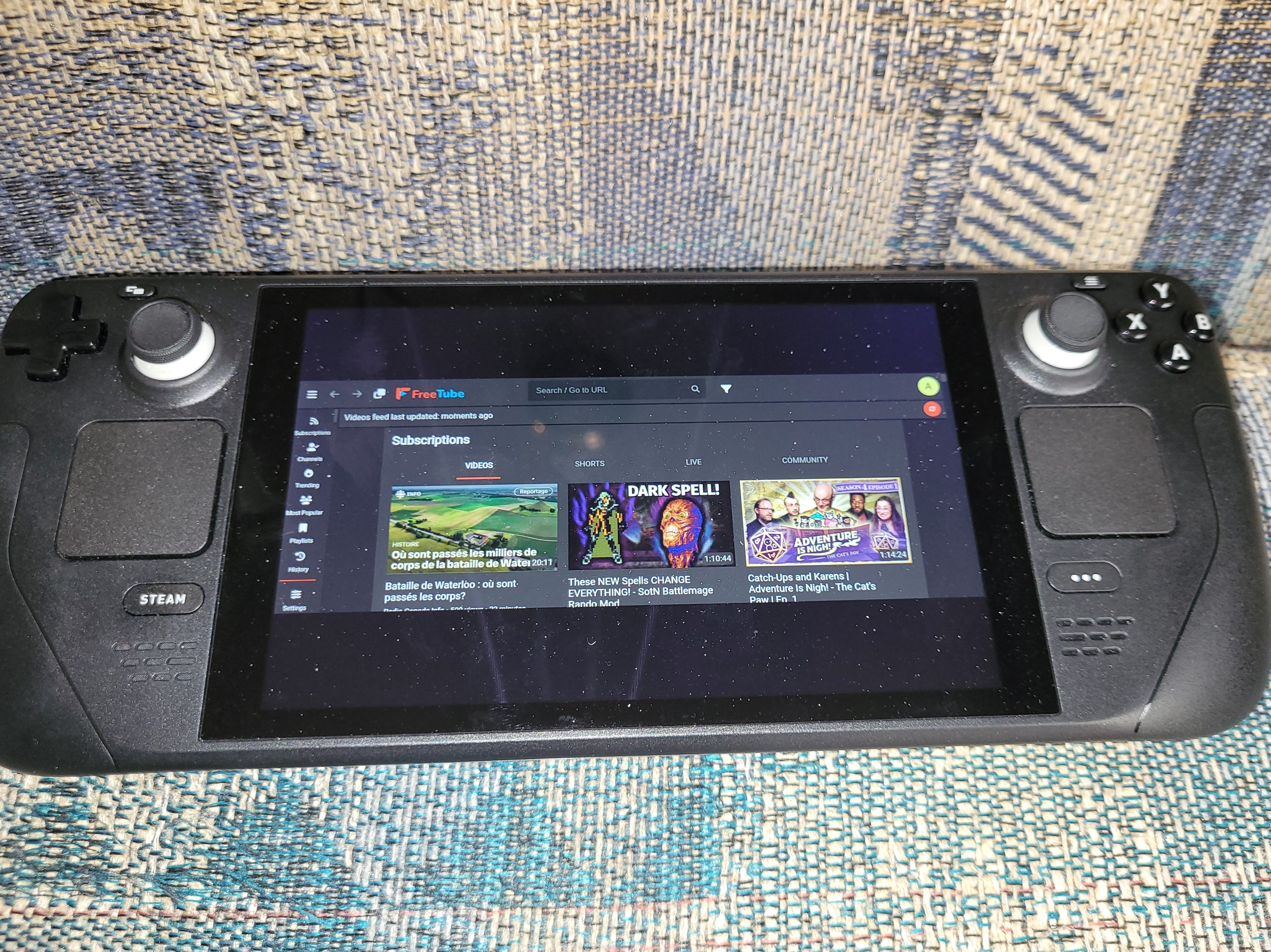
The program itself doesn't use the whole screen, not just when videos are playing. It's like only half the screen is used (one quarter left blank top and bottom). I can't even move the mouse cursor into the blank space.
Oh I see. Check the display settings? The little settings wheel on the right before you launch the app?
Under the "Shortcut" section there is an option to change the resolution, but this has no effect on the total area FreeTube uses on the screen.
No I mean the settings in Steam.
That's in the properties of FreeTube in Steam.